UX Engineer Course — The Creators Academy
The Creators Academy
UX Engineer · Founding cohort

AI won't replace designers.
Designers who build will.

Become a UX Engineer — a designer who also ships the real front-end, with AI as your accelerator. You'll learn to design and build and understand every line, so you own more of the product than a designer ever could.

Founding cohort — only 30 seats at the founding price. Check Price
UX Engineer at work

In 12-Weeks

Design. Build. Ship.
Become a UX Engineer.

Designers who can also build will have an unfair advantage as AI reshapes the front-end. This program isn't about watching tutorials — it's about mastering the full product: Figma craft, HTML, CSS, JavaScript, React and AI-accelerated workflows that teams actually hire for.

Course Starts
Coming soon
30
Seats Left
40+
Live Sessions
AI-native designHTML & CSSJavaScriptAPI integrationPrototyping with AIShipping real productsInterface designVersion controlAI-native designHTML & CSSJavaScriptAPI integrationPrototyping with AIShipping real productsInterface designVersion control

Where Bikash's mentees now work

Jio
PwC
BrowserStack
Procol
SonyLIV
Current State of UX Designers

Design it. Hand it over. Hope it ships right.

Most UX designers today do the same thing. Research a little, design the screens, package up the Figma file and hand it to the developers. What happens after that is out of their hands. How it actually ships, what gets cut, what gets changed? They find out when everyone else does. That's the job. And most designers have accepted it.

Move beyond just designing. Own the shipping part as well.

Current state of UX designers
Where the industry is heading

Designers are taking over the front-end.

Most designers, even after 3 to 5 years on the job, still can't influence how their designs actually ship. They hand over the file and hope. But the best designers are moving up the stack — taking ownership of the front-end build, not just the Figma file. This isn't a future prediction. It's already happening. And as AI makes coding more accessible, the line between designer and front-end developer is disappearing. The UX Engineer is what's on the other side of that line.

Own the Front-end Code, Own the Shipping.

What a UX Engineer is

Not a designer who waits. Not a vibe-coder. An owner.

Designer alone

Hands off, waits and hopes it ships right. Owns one layer of the chain.

One layer

Vibe-coder

Prompt AI. Copy code. Paste. Stuck when it breaks.

No control

UX Engineer

Designs it, builds it with AI and understands every line. Owns the chain.

Owns the chain
Why you won't be replaced

The more of the build you own, the harder you are to replace.

The UX Engineer

Designs it, builds it and owns what ships.

Designs it, builds it and owns what ships.

Understands the full product — from research to the final line of code.

Designs with the front-end in mind — no surprises at handoff.

Understands HTML, CSS, JavaScript and React — directs AI to write the code and validates every output.

Uses AI to move faster across design and build — without losing control of either.

Can fix it when implementation goes wrong — because it's their build.

Graduates with a working product they designed and built themselves.

Owns the buildGets hired

The Handoff Designer

Designs it. Hands it over. Hopes for the best.

Designs the screens, packages the Figma file and calls it done.

Loses control the moment the file leaves their hands.

Finds out how it shipped when everyone else does.

Can't fix implementation issues — not their job, not their code.

No real ownership of the outcome — just the file.

Portfolio full of mockups. Nothing actually built, nothing actually shipped.

Never owns the outcomeFirst to be cut
Meet your mentor

Learn from someone who's actually shipped.

Bikash Joshi
Lead Mentor

Bikash Joshi

Product Leader & UX Practitioner

Bikash is a Product Leader and UX Practitioner with 12+ years of experience building digital products, leading cross-functional teams and mentoring aspiring Product Managers and Designers. Having mentored 100+ professionals, he helps learners bridge the gap between theory and real-world execution through practical projects, portfolio reviews and career guidance.

Highlights

12+ years of product-building experience
100+ mentees across Product & Design
Product leader, designer and builder

Worked With

dMACQJioMcKinseyIntegreonMTS

Products Built & Led

What Bikash's mentees say

He's done this before. People remember.

Photo
Navin Mishra
Navin Mishra
LinkedIn
Jio
Mentored by Bikash Joshi

I had the opportunity to work with Bikash for over three years, and he played a key role in shaping my growth as a designer. His mentorship went beyond design reviews—he taught me how to think critically, solve the right problems, and always put users first. The lessons I learned from him continue to influence my work today.

Photo
Mayank Parab
Mayank Parab
LinkedIn
Senior Product Designer
BrowserStack
Mentored by Bikash Joshi

Bikash didn't just mentor me in building products, he helped shape how I think. He encouraged me to look beyond execution, understand the real problem, and stay grounded in the user's perspective. That shift continues to influence how I approach decisions and solve problems.

Photo
Ashraf Shaikh
Ashraf Shaikh
LinkedIn
UX Designer
PwC
Mentored by Bikash Joshi

Bikash helped me stop designing screens and start solving real problems. His guidance transformed my portfolio and boosted my confidence during interviews.

Photo
Shravan Tiwari
Shravan Tiwari
LinkedIn
Procol
Mentored by Bikash Joshi

Bikash pushed me to think beyond the screen — questioning assumptions, grounding decisions in real user insight, and defending design choices with clear reasoning, not just taste. That shift in how I approach problems has stayed with me well beyond our sessions together.

Photo
Divyansh Pandey
Divyansh Pandey
LinkedIn
Product & Web Designer
Oliv
Mentored by Bikash Joshi

Bikash bridges the gap between theory and real-world practice. His feedback improved my portfolio, sharpened my thinking, and gave me the confidence to succeed in interviews.

Photo
Navin Mishra
Navin Mishra
LinkedIn
Jio
Mentored by Bikash Joshi

I had the opportunity to work with Bikash for over three years, and he played a key role in shaping my growth as a designer. His mentorship went beyond design reviews—he taught me how to think critically, solve the right problems, and always put users first. The lessons I learned from him continue to influence my work today.

Photo
Mayank Parab
Mayank Parab
LinkedIn
Senior Product Designer
BrowserStack
Mentored by Bikash Joshi

Bikash didn't just mentor me in building products, he helped shape how I think. He encouraged me to look beyond execution, understand the real problem, and stay grounded in the user's perspective. That shift continues to influence how I approach decisions and solve problems.

Photo
Ashraf Shaikh
Ashraf Shaikh
LinkedIn
UX Designer
PwC
Mentored by Bikash Joshi

Bikash helped me stop designing screens and start solving real problems. His guidance transformed my portfolio and boosted my confidence during interviews.

Photo
Shravan Tiwari
Shravan Tiwari
LinkedIn
Procol
Mentored by Bikash Joshi

Bikash pushed me to think beyond the screen — questioning assumptions, grounding decisions in real user insight, and defending design choices with clear reasoning, not just taste. That shift in how I approach problems has stayed with me well beyond our sessions together.

Photo
Divyansh Pandey
Divyansh Pandey
LinkedIn
Product & Web Designer
Oliv
Mentored by Bikash Joshi

Bikash bridges the gap between theory and real-world practice. His feedback improved my portfolio, sharpened my thinking, and gave me the confidence to succeed in interviews.

Tools you'll master

Master the tools a UX Engineer actually ships with.

The toolkit a UX Engineer actually ships with — you'll use each one on real work, not just hear it named.

The tools you'll actually use

Figma
Miro
ChatGPT
Claude
Lovable
Replit
Cursor
NanoBanana
Amplitude
MixPanel
Maze
UserTesting
HTML CSS JS
React
VS Code
Playwright
BrowserStack
Vercel
Netlify
GitHub

How a UX Engineer actually works

Research & Synthesis
UserTesting / ChatGPT / Claude
Ideation
Miro / Figjam
Wireframing
Whimsical / Figma Make / Claude Design / Lovable / Replit
Prototyping
Figma Make / Claude Design / Lovable / Replit
Design Systems
Figma / Claude Design
UI Design
Figma / Claude Design
Image & Illustration Creation
ChatGPT / NanoBanana
User Testing
UserTesting / Maze
Build
Cursor / Claude Code
Code Test
Playwright / BrowserStack / ChatGPT
Deploy
Vercel / Netlify / GitHub
Product Analytics
Amplitude / MixPanel

Final tool list confirmed before start — we teach what you'll genuinely use.

What you'll learn

Course Curriculum

Design it. Build it. Ship it — with AI beside you every step.

What a UX Engineer is, why the role exists now, and how this course is structured.

The handoff problem: why designers lose control when the file leaves their hands
The UX Engineer vs the Handoff Designer vs the Vibe-coder — what separates them
How AI is collapsing the design/front-end gap and why that creates a new role
The full UX Engineer workflow: research → design → build → test → deploy
How AI plugs into every stage — what to delegate, what to own
Setting up your environment: Figma, Cursor, VS Code, GitHub, Vercel
UX Engineer RoleDefinitionAI WorkflowSetup

The full design process — fast, reframed for someone who will also build it.

What is Design? What is UX Design?
Design Thinking (Empathize, Define, Ideate, Prototype, Test)
The UX Engineer process: how each stage maps to what you'll code
UX laws and psychology — applying them when you design AND build
Heuristic evaluation — reviewing your own builds against Nielsen's 10
User flows, task flows and IA — designing navigation you'll implement in code
Designing with the front-end in mind from day one
Design ThinkingUX ProcessUser FlowsIAHeuristics

Visual design and design systems — built to be coded, not just handed over.

Visual hierarchy, typography, colour theory, spacing — the rules you'll implement in CSS
Components and patterns: forms, buttons, tables, navigation — designed knowing you'll build them
Responsive design — mobile-first, because you'll code it that way
In-depth Figma for engineers: Dev Mode, Inspect, design tokens, handoff to yourself
Design systems: foundations, components, tokens, patterns
How design tokens map to CSS variables — your design system, now in code
UI DesignDesign SystemsFigmaTokensResponsiveDev Mode

Every AI tool a UX Engineer actually ships with — for design and for code.

The AI-augmented UX Engineer: what to delegate vs own across design and build
AI tool landscape for design: Figma Make, Claude Design, Lovable, v0, NanoBanana
AI tool landscape for building: Cursor, Replit, Lovable, Claude Code
Prompting for design: getting usable UI output, not generic slop
Prompting for code: getting real front-end output you understand and control
How AI plugs into each module — design AND build workflow setup
AI ToolsCursorFigma MakeLovablev0PromptingWorkflow

Research fast and synthesise faster — with AI doing the heavy lifting.

Why research matters for engineers who build: designing without insight = building the wrong thing
Methods: user interviews, surveys, contextual inquiry, competitive analysis
AI in research: transcription, synthesis, affinity mapping, theme surfacing
Outputs: personas, empathy maps, journey maps — AI-assisted drafting
Turning research into design decisions you'll actually implement
Tools: UserTesting, Maze, ChatGPT, Claude
User ResearchAI SynthesisInterviewsPersonasJourney Maps

Design the states you'll code. Validate before you build.

Interaction design principles: affordances, feedback, states (hover, focus, error, empty, loading)
Wireframing with AI: low-fi to high-fi, fast — Whimsical, Figma Make, Claude Design
Prototyping: from flow to clickable prototype, AI-accelerated iteration
Accessibility: WCAG basics, colour contrast, keyboard navigation — you'll implement these in HTML
Planning and running a usability test before going to code
AI for usability: faster sessions, faster synthesis, faster design decisions
Interaction DesignPrototypingWireframingUsabilityAccessibilityAI Prototyping

The language of the web. You learn it so you can validate what AI builds — not just watch it generate.

HTML structure and semantic markup — what every element means and why it matters
CSS layout: Flexbox and Grid — the two ways everything on the web is arranged
Mobile-first responsive design — the way you designed it in Figma
Translating a Figma design into pixel-accurate HTML/CSS, component by component
CSS variables and design token implementation — your design system, now in code
Browser DevTools — inspect, debug, tweak and iterate in real time
HTMLCSSFlexboxGridResponsiveDesign TokensDevTools

Make interfaces actually work. Learn enough to direct AI confidently and fix what breaks.

JavaScript fundamentals for designers: variables, functions, loops — no scary maths
DOM manipulation — making things happen when users click, type, scroll
Event handling — building the interactions you designed in Figma
Fetch API basics — pulling real data into your UI
Debugging with DevTools — reading error messages without panicking
AI-assisted JS: using Cursor and Claude to write and fix logic you understand
JavaScriptDOMEventsFetchStateDebuggingAI-assisted

Connect your front-end to real data. Own the full stack of your UI.

What APIs are and why they matter for product builders
Making API calls from a front-end: GET, POST — the two you'll use most
Displaying real data inside your designed UI
Handling loading states, errors and edge cases — states you already designed, now coded
Testing APIs with Postman before writing front-end code
Using AI to write and debug integration code you understand and control
APIsRESTJSONFetchAsyncPostmanReal Data

The way real products are built. Enough to work in a modern codebase.

Why React exists and what problem it solves for designers building UIs
Components, props and state — the mental model behind every modern front-end
Building a real component from a Figma design in React
State management basics — making your UI respond to real data
Introduction to Angular — when teams use it and how to read it
Reading and contributing to an existing codebase — pull requests, code review, collaboration
AI-accelerated: using v0 and Cursor to scaffold React components you then understand
ReactComponentsPropsStateAngularFrameworksv0

Ship it. Own the full journey from code to live product.

AI-accelerated building: Cursor, Replit, Lovable as co-pilots — you direct, AI generates, you control
Writing and running automated tests with AI assistance — Playwright
Cross-browser and cross-device testing — BrowserStack
Deploying a real product: Vercel and Netlify — from local to live in minutes
Version control with GitHub: commit, push, pull request, merge, ship
Product analytics: reading Amplitude and Mixpanel data to make post-ship design decisions
BuildTestingPlaywrightBrowserStackVercelNetlifyGitHubAnalytics

Position yourself as a UX Engineer, not just a designer who codes.

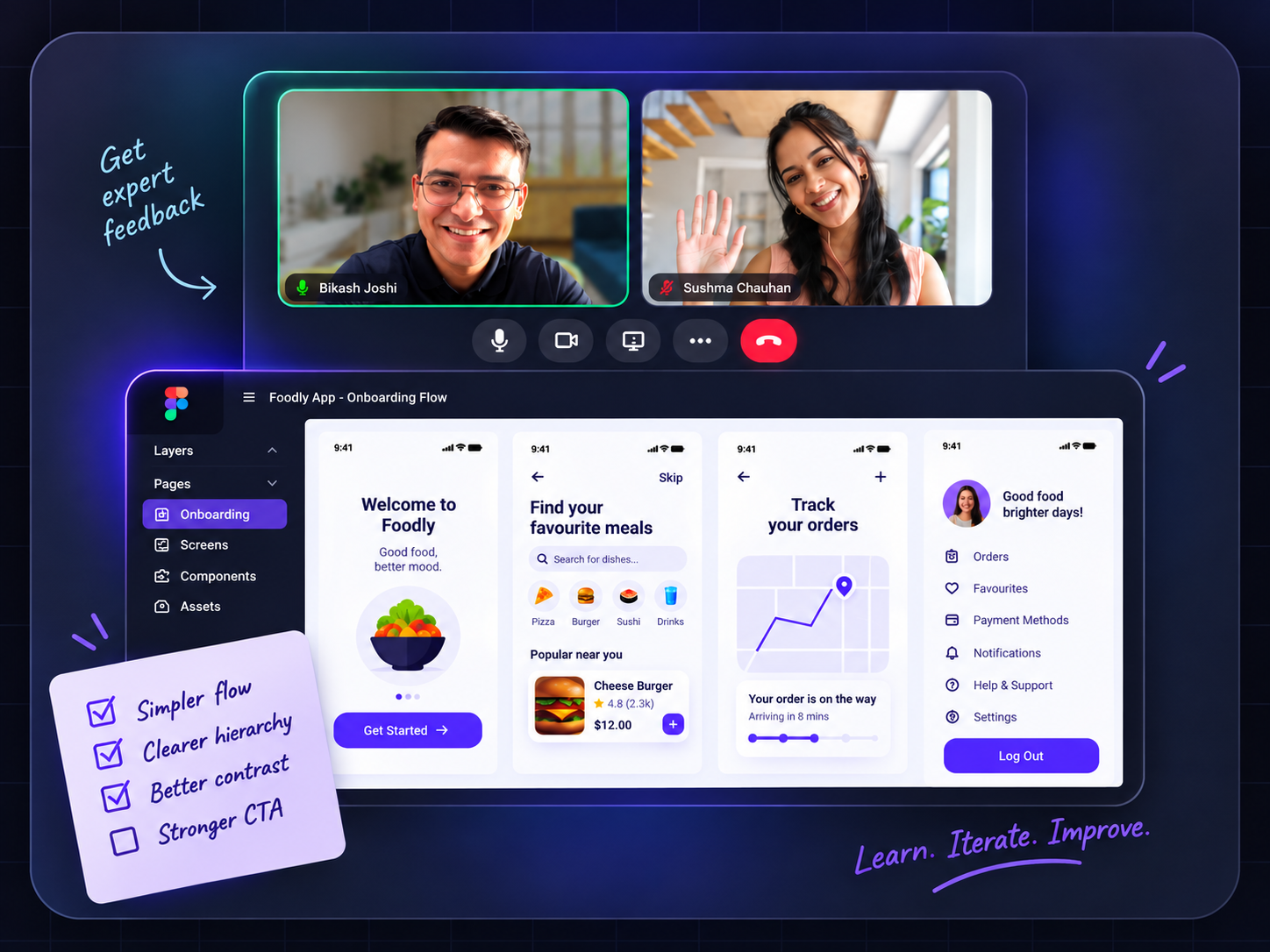
1:1 mentor sessions — personalized feedback on your design and build work
Portfolio review: your case study shows you designed AND built it — how to present that
Career counselling: UX Engineer roles, design engineer roles, how to position the hybrid skill
Professional branding: LinkedIn, portfolio site, a narrative that shows design + build
Interview prep: portfolio walkthrough (design + code), design challenge, take-home build, technical screen, behavioural
MentorshipCareerPortfolioInterview PrepPositioning

One real product: researched, designed, built, tested, deployed and presented by you.

Pick a real product problem worth solving — yours or a realistic brief
Research it: user interviews, synthesis, insight — discovery you own
Design it: research → flows → wireframes → UI → design system
Build it: HTML, CSS, JavaScript, API integration, React — front-end you ship
Test it: Playwright automated tests, cross-device BrowserStack checks
Deploy it: live at a real URL — Vercel or Netlify
Present at Demo Day: walk the cohort and industry guests through every decision you made
CapstoneDemo DayShipped ProductLive URLPortfolioEnd-to-end

You'll learn HTML, CSS, JavaScript and React from the ground up — then AI writes the code and you validate it. That's what separates a UX Engineer from someone who just prompts and hopes.

Create a compelling portfolio

Work on real world projects to apply your learnings

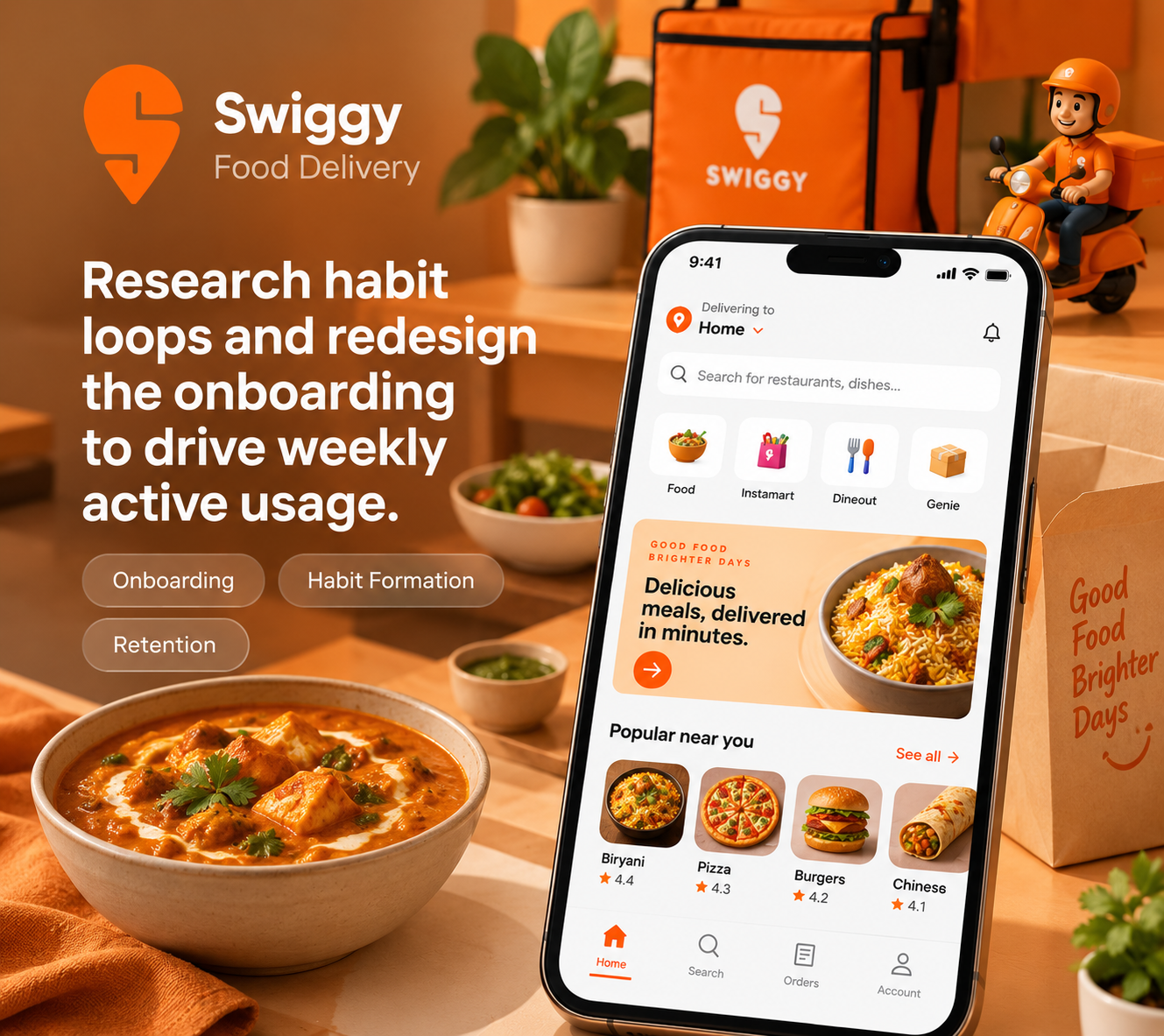
Swiggy

Redesign and ship the onboarding — from user research to a working front-end.

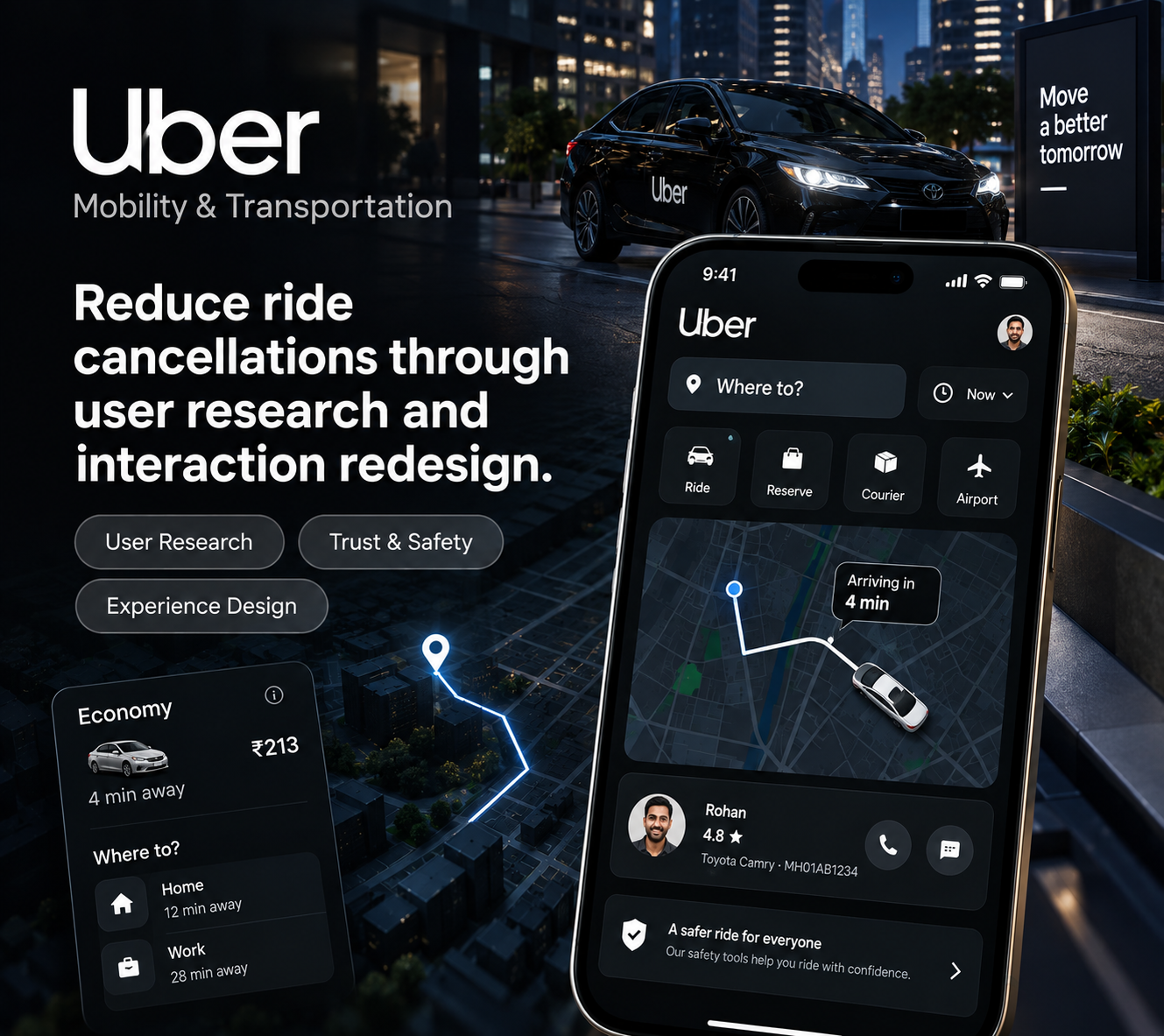
Uber

Reduce checkout friction — diagnose the drop-off, redesign and build the responsive version.

Netflix

Improve content discovery and reduce early drop-offs — designed and deployed live.

Your credential

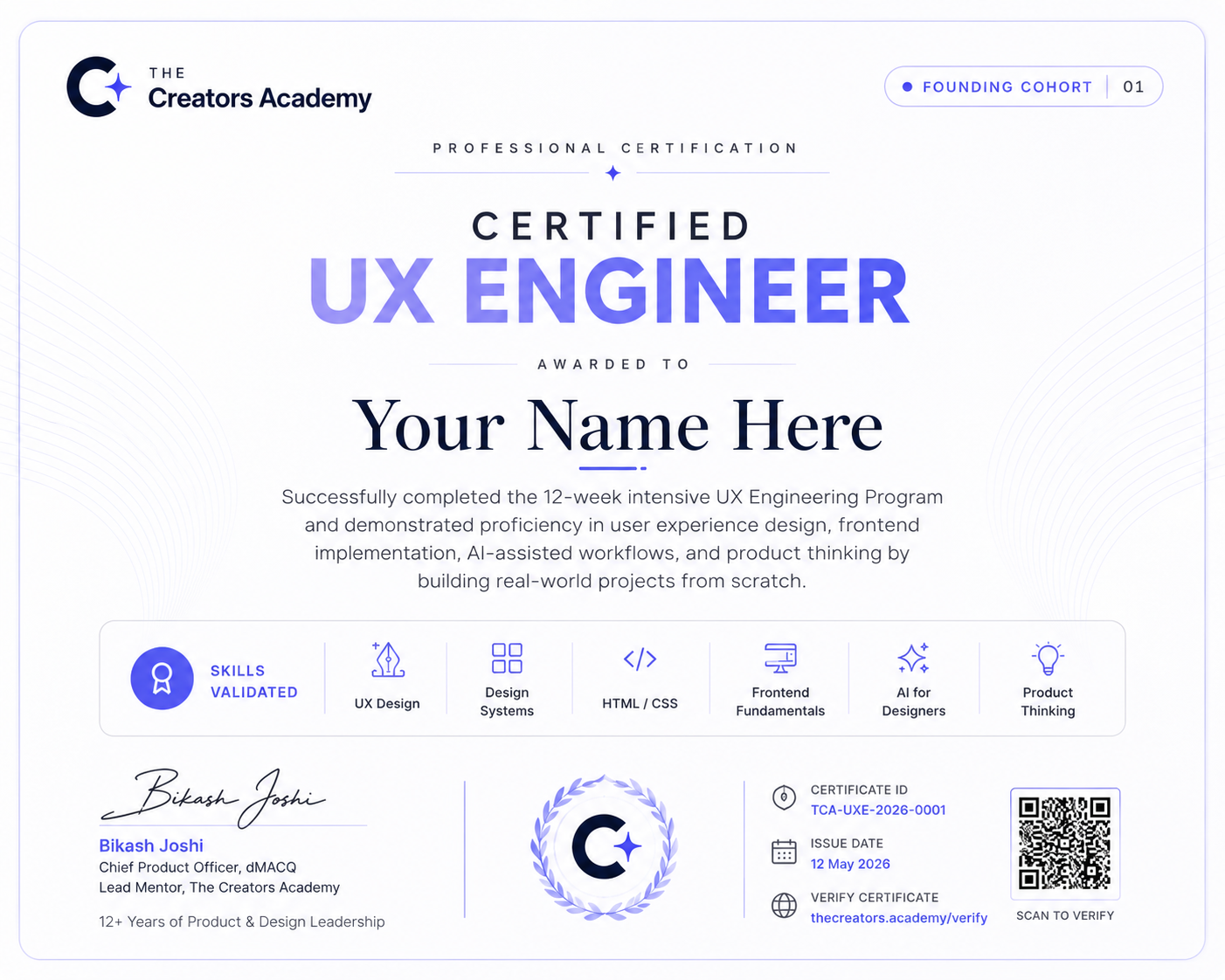
Earn your certificate of completion.

Finish the cohort with a real, shipped product — and a certificate that says you did. We keep the claim modest: completion, not accreditation. The proof is the work.

Awarded on a shipped capstone — not attendance
Signed by your Lead Mentor
Shareable on LinkedIn and your portfolio
UX Engineer Certificate
Program at a glance

A program built to make you ship.

AI-first curriculum

Built around the AI tools designers and engineers actually ship with today.

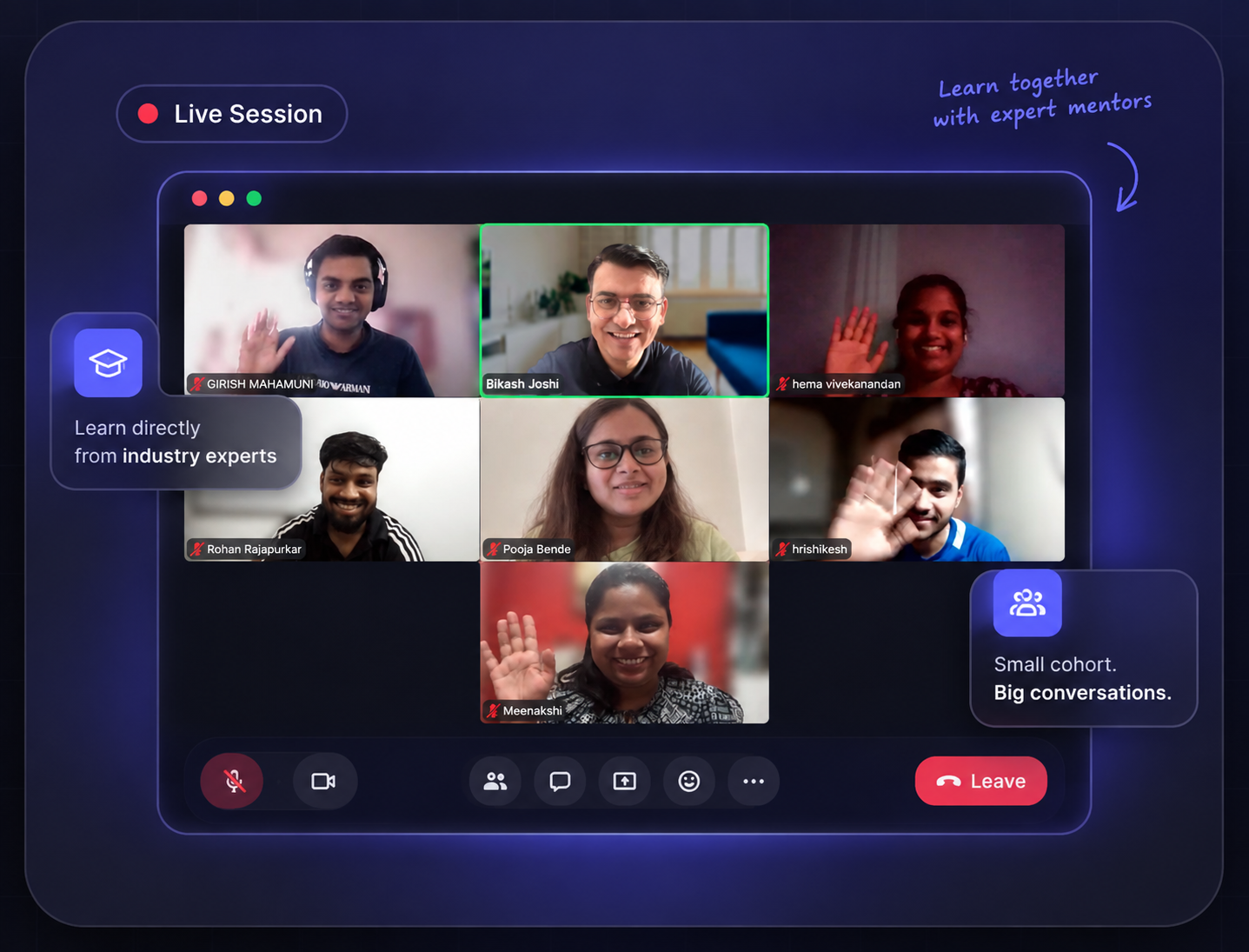
Live, mentor-led sessions

Real-time, hands-on builds — not pre-recorded videos you watch alone.

Real-product capstone

You finish with a working product you designed and built, end to end.

1:1 with your mentor

Direct feedback on your work and a closing session that maps your next move.

Founding cohort community

A small first cohort — peers building alongside you, plus an alumni channel.

Career support

Portfolio review, positioning and interview prep — support, not a guarantee.

12 weeksPlanned duration
Live & Mentor-ledAll sessions live
30 Seats OnlyFounding cohort
Founding priceEnrol now

Duration and exact dates confirmed with enrolled members before start.

What you'll walk away with

Not a certificate. A product you designed and built.

A product you designed AND built

A real, shipped case study — not a certificate you frame and forget.

Two layers of the value chain

The hybrid design+build skill teams can't easily cut.

AI-first workflows

The tools and habits hiring teams actually use today.

A 1:1 with your mentor

A focused session that maps your next move.

How your week looksTentative

Tentative Weekly schedule.

Recurring sessions across the program. These times are planned and finalised before launch.

Core session
Live, mentor-led learning
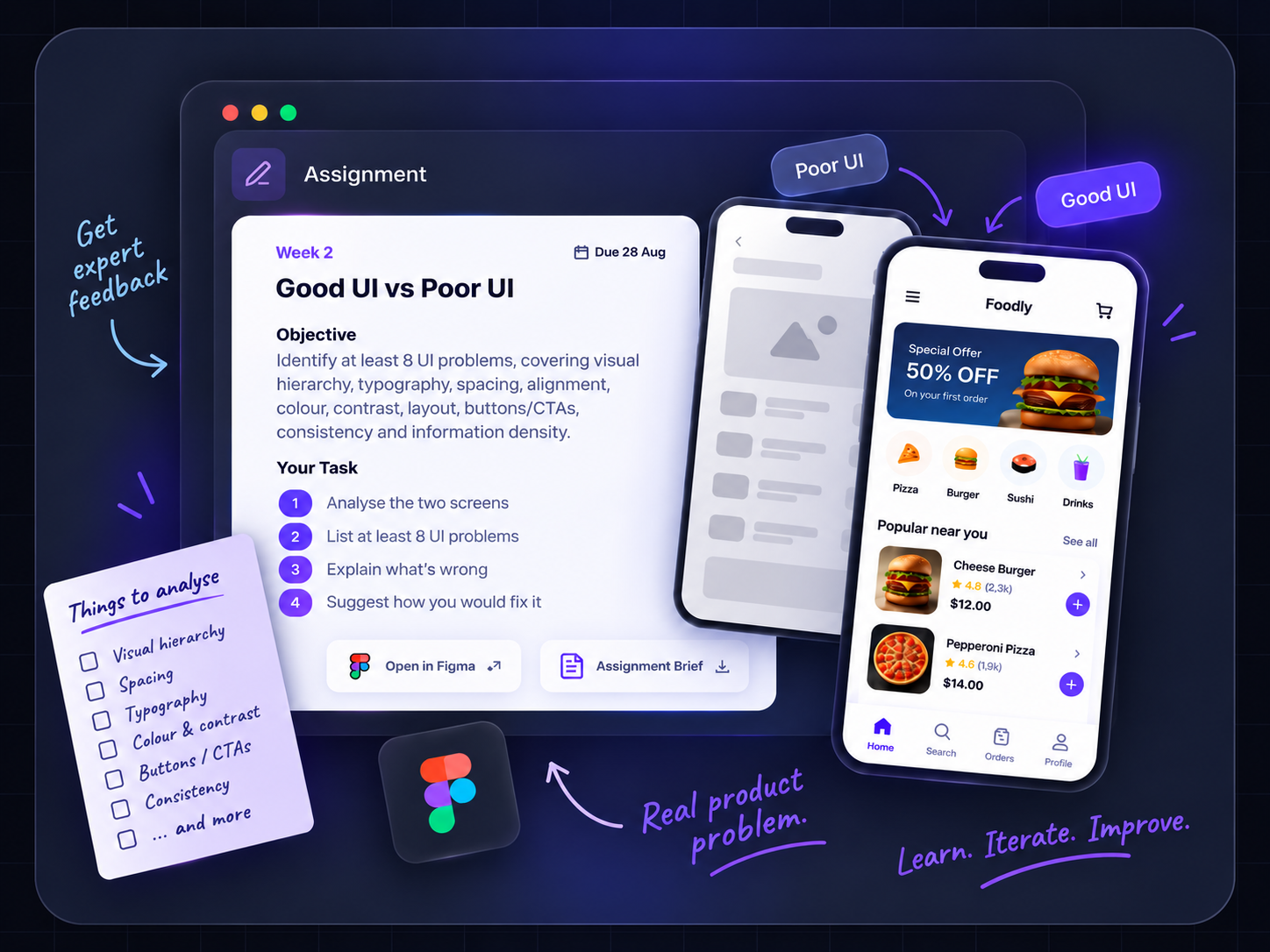
Sat & Sun·4:00–7:00 PM IST
Learn the week's core UX concept and framework
Understand how the concept applies in real-world projects
Receive the assignment and project brief for the week
Q&A session
Assignment clarification & mentor support
Wednesday·9:00 PM IST
Get answers to questions about the week's assignment
Clarify concepts, expectations, and deliverables
Resolve blockers and gain confidence before submission
Assignment
Hands-on application of learning
Due on Friday of the same week·Async
Complete the assignment shared during the Core Session
Apply the week's concepts to a practical design challenge
Submit your work for mentor review and feedback

Provisional schedule — final times confirmed with enrolled members before start.

Get interview-ready

Interview preparation built for hybrid roles.

Hybrid design + build roles get interviewed differently. We prepare you for both sides.

Portfolio walkthrough

Present and defend work you designed AND built — the story behind every decision.

Design challenge

Solve a real UX problem live, from prompt to a defensible direction.

Product critique

Evaluate a real product and argue how you'd improve it.

Take-home build

Design and ship a small working prototype on a deadline.

Technical screen

HTML, CSS and JavaScript fundamentals — and how you'd build it.

Behavioural

Collaboration, feedback and ownership — how you actually work.

Cadence and format confirmed at enrolment.

Capstone & Demo Day

One real product — designed and built by you.

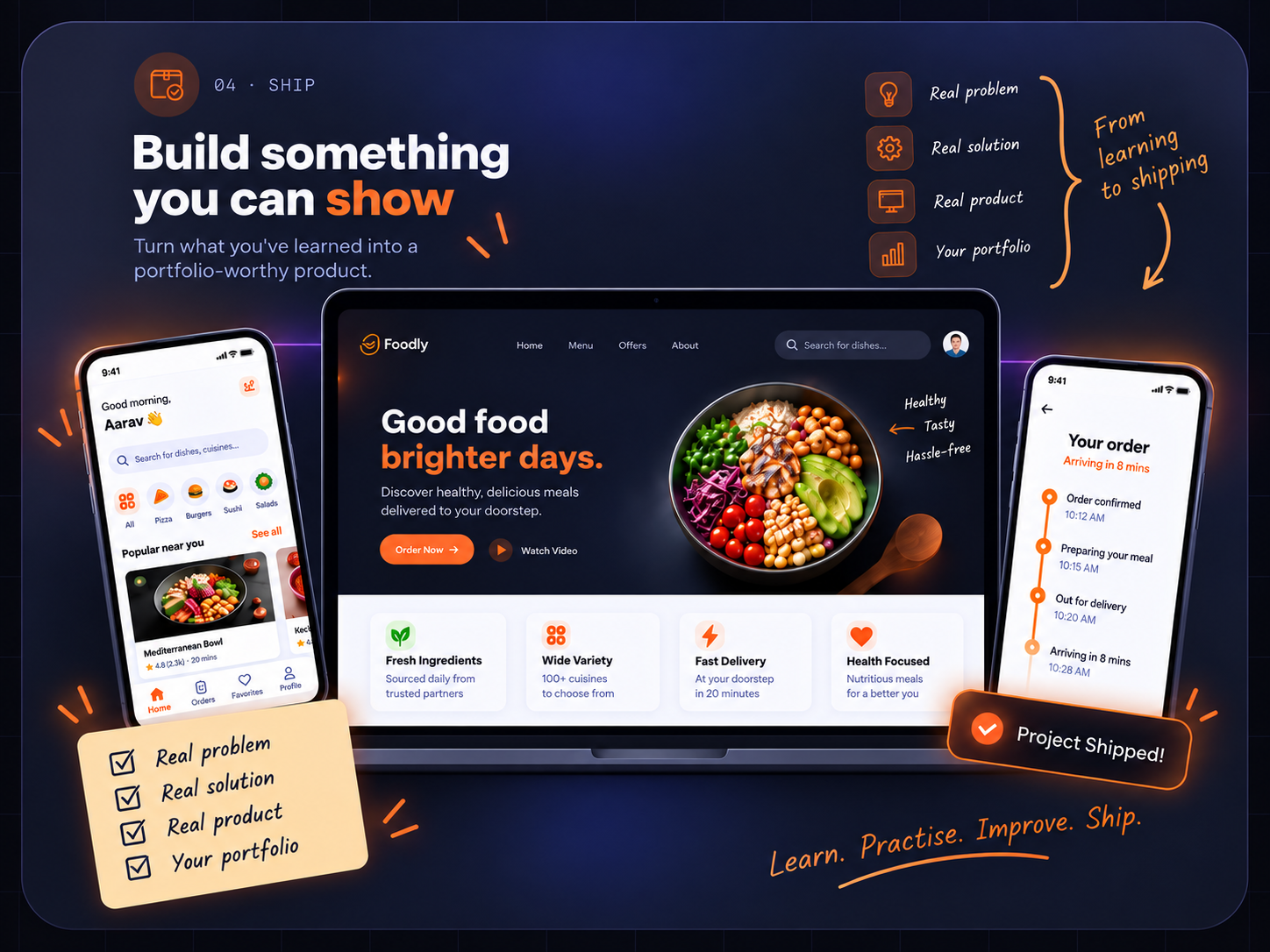
Your capstone is the centrepiece of your portfolio: a working product you took from blank canvas to shipped, then presented at a cohort Demo Day to your mentor.

01

Pick a real problem

Choose a product worth building — yours or a realistic brief.

02

Design & build it

Take it from research and design to a working, shipped front-end.

03

Present at Demo Day

Walk the cohort and your mentor through what you made and why.

Career support

Career support to back your move.

We back your move with real support — review, positioning and prep. We make you ready to win a role; we don't promise one.

Interview prep

1:1 mock interviews across portfolio, design and technical rounds.

Professional branding

Resume, LinkedIn and a portfolio that shows you design AND build.

Career counselling

A clear growth path and the roles worth targeting next.

Communication

Sharpen how you present work and yourself — interview-ready.

Ready to own the build?

Join the founding cohort and finish with a product, a portfolio and a plan.

Honest fit

Is this program for you?

Become the designer who ships. This is for people ready to own design AND the front-end build — not hand off and hope.

Designers
who want to own the build, not just the file
Front-end-curious designers
ready to go from "I designed it" to "I shipped it"
Career switchers
moving into design + dev and want both
Self-taught builders
who want structure, feedback and a real portfolio
Bootcamp grads
who want the design half and the AI workflow
Anyone tired of handing off
and hoping it ships the way they meant it
Founding cohort

Enrol now — at the founding price.

A small founding cohort is open now. Only 30 seats — enrol to lock in the founding price before they're gone.

What founding members get
30 seats per cohort
The Founding cohort is made small on purpose to give more direct mentor time than a larger program ever could.
Founding price
A one-time founding rate for Cohort 01, confirmed when you apply.
Shape the program
Your feedback directly shapes how the course evolves. You're learner #1, not #1,001.
Program Fees
EMI option available in Payment Page EMI Starts at ₹5,000 Per Month
FAQs

Good to know

It's the emerging design + build role that product teams are increasingly hiring for — and the one they struggle most to fill. It goes by different names depending on the company: UX Engineer, Design Engineer, Product Designer who codes, Front-end Designer. What they're all describing is the same thing — someone who can own design AND the front-end build. You graduate able to do both, with a portfolio that proves it.

AI replaces the layer of work that's purely execution — making screens look polished without understanding why. A UX Engineer owns research, design decisions, the build and the outcome. That's four layers of value. AI makes each one faster; it doesn't own any of them. The more of the chain you own, the harder you are to replace.

You don't have to. But right now, every design decision you make after the Figma handoff is out of your hands. A UX Engineer changes that — you own what ships, not just what you designed. As AI makes coding more accessible, the gap between designer and front-end developer is shrinking. The designers moving into that gap are the ones building careers that are harder to cut.

Both — in the right order. You learn real HTML, CSS, JavaScript and APIs first, so you understand what you're building and why. Then AI (Cursor, Lovable, Claude Code) becomes a genuine accelerator — not a crutch. The difference between a UX Engineer and a vibe-coder is that when the AI-generated code breaks, you can read it, understand it and fix it. That's what this course builds.

No prior coding experience required. The course is built for working designers — we start from the design foundation you already have and layer the front-end skills on top. You'll need to be comfortable in Figma and have some UX design experience. If you're brand new to design, the AI-Driven UX Designer course is the right starting point.

Yes — this course is for working designers, not complete beginners. You should already understand the basics of UX process, wireframing and UI design. If you're starting from zero, start with the AI-Driven UX Designer course first, then come back here.

A front-end bootcamp teaches you to code. This course teaches you to design AND code — as one person, owning the full chain. The design half is not an afterthought; it's 50% of the curriculum. And unlike a bootcamp, you finish with a product you both designed and built, not just a set of coding exercises.

The Designer course is for aspirants learning UX for the first time — pure design, no code. The UX Engineer course is for working designers who want to add the front-end build layer. It assumes you already know design basics and goes deep on HTML, CSS, JavaScript, APIs and React. The two courses are a ladder: Designer first, Engineer next.

For design: Figma Make, Claude Design, Lovable, v0, NanoBanana. For building: Cursor, Replit, Lovable, Claude Code. For research and synthesis: ChatGPT, Claude, UserTesting. For testing and deployment: Playwright, BrowserStack, Vercel, Netlify, GitHub. Final tool list confirmed before the cohort starts — we teach what you'll genuinely use.

Plan for 10–12 hours a week — 6 hours of live sessions (Sat/Sun core + Wed Q&A) and 4–6 hours for assignments and project work. The build modules require more hands-on time than the design modules, so budget more in the second half of the course.

Core sessions run Saturday and Sunday, 4:00–7:00 PM IST. Q&A and doubt-solving is Wednesday at 9:00 PM IST. Assignments are due Friday of the same week. Final times confirmed with enrolled members before the cohort starts.

All sessions are live with the mentor — no pre-recorded videos you watch alone. If you miss a session, recordings are available, but the live format is the point: real-time critique, real-time feedback, real builds happening in front of you.

12 weeks, planned. Exact start date confirmed with enrolled members before launch.

You pick a real product problem, research it yourself, design it in Figma, then build the working front-end and deploy it to a live URL. By Demo Day you present a product you can actually link to — not a case study of a Figma file. That's the difference between this capstone and a design-only course.

You'll have one end-to-end case study: a product you researched, designed and built yourself, live at a real URL. That's fundamentally different from a portfolio of Figma mockups — you can show the design decisions AND the code, and walk through both in an interview. That's what UX Engineer and Design Engineer roles specifically ask for.

The founding cohort price is ₹49,999, inclusive of all taxes. EMI options are available. This is a one-time founding rate for Cohort 01 — price confirmed at enrolment.

No. We give you the skills, the portfolio, the positioning and the interview prep to win a role. We don't promise one. What we can say: you finish with a working product you designed and built, which is more than most candidates walk in with.

Yes — portfolio review, LinkedIn and professional branding, career counselling on which roles to target, and mock interviews across design, technical and behavioural rounds. We prepare you for the full UX Engineer interview, not just the design half.

A focused session with your mentor after the capstone — reviewing your portfolio, your positioning and mapping your specific next move. Which roles to target, how to talk about your design + build skill, and what to work on next.

Yes — awarded on a shipped capstone, not attendance. Signed by your Lead Mentor and shareable on LinkedIn and your portfolio.

The first-ever batch of the UX Engineer program. Founding members get more direct mentor time than any cohort after it, a one-time founding price, and a real say in how the program evolves. You're learner number one, not number one thousand and one.

Small on purpose. More direct mentor time, more personal feedback on your builds, and a cohort where everyone actually knows each other. Once the 30 seats are gone, this price is gone too.

No pressure

Stop handing off. Start owning the build.

Every application is personally reviewed by a mentor — no bots, no pushy sales calls.